The UCCS systems a nursing student uses, from myUCCS to Medatrax
A UCCS nursing student works across two sets of tools: campus systems run by the university and its Office of Information Technology (OIT), and clinical systems the Johnson Beth-El College uses for compliance, logging and site requests. Here is what each one does, in UCCS's own names, and where it touches your clinical hours.
Get your placement plan
Tell us your UCCS program and where you live. A placement advisor replies with the preceptor and site options that fit your UCCS course.
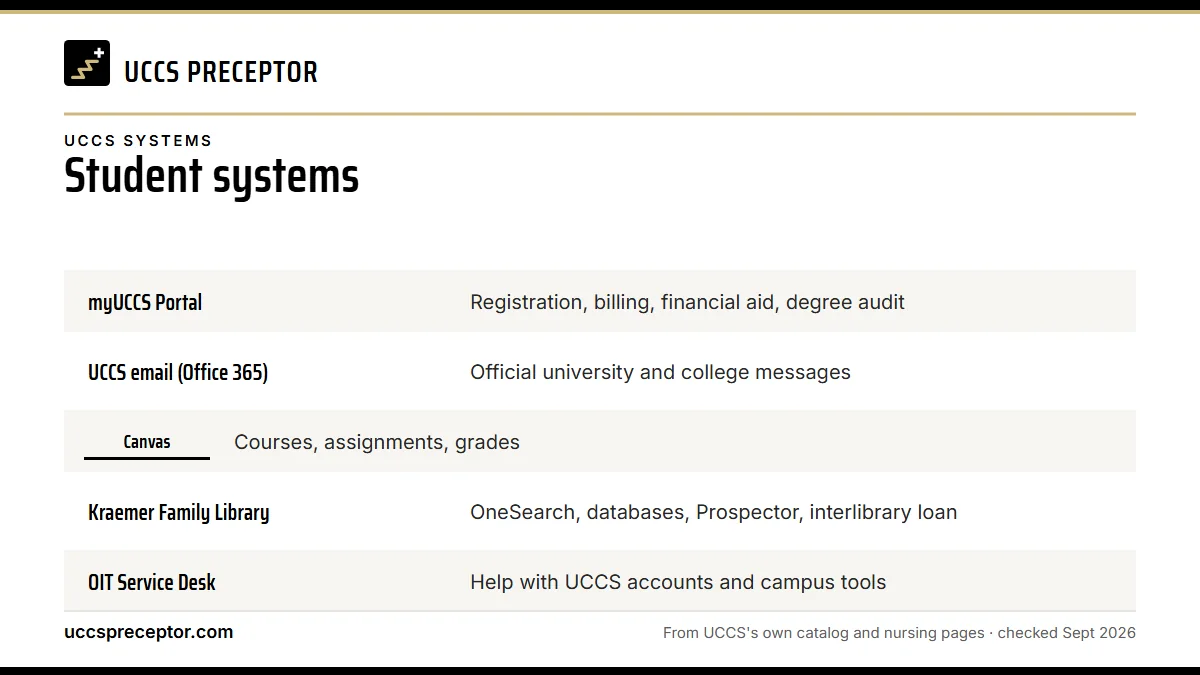
Campus tools and clinical tools at a glance
The first five systems below come with your UCCS account. The last four belong to the nursing college's clinical process, and a late step in any of them can hold up your first clinical day.
| System | What UCCS uses it for | Where it touches your clinicals |
|---|---|---|
| myUCCS Portal | Registration, billing, financial aid, degree audit | Registering for the clinical course, which is what lets hours count |
| UCCS email (Office 365) | Official university and college messages | The Clinical Site Sheet form, agreement updates, the "good to go" email |
| Canvas | Courses, assignments, grades | Graduate Practicum Resources and its Site Sheet Information Module |
| Kraemer Family Library | OneSearch, databases, Prospector, interlibrary loan | Evidence for clinical papers; library access UCCS offers preceptors |
| OIT Service Desk | Help with UCCS accounts and campus tools | Getting back into the Portal, email or Canvas |
| Medatrax | Graduate compliance, patient logs, evaluations | Every encounter you log and every evaluation |
| CastleBranch | Background check and drug screen | Results you then upload to Medatrax |
| eScreen | Drug-screen vendor | A call before testing if a prescribed medication could affect results |
| My Clinical Exchange (mCE) | Site-required rotation requests; undergraduate compliance | Graduate students: only when a site requires it |
myUCCS Portal and UCCS email
The myUCCS Portal is where you add, drop and swap classes and pay your bill, and it also holds financial aid and your degree audit. Access comes automatically with a UCCS account. Deadlines for each course sit under Register for Classes, then My Class Schedule, then Enrollment Deadlines; that view shows a clinical course's census and withdrawal dates and which session it runs in.
Registration carries clinical weight. UCCS counts hours only while you are registered for a course in the fall, spring or summer semester, never before the semester starts or in the gap between terms. The academic calendar page has the 2026-27 dates. Portal access ends after you graduate or after two census dates without attending.
All UCCS email runs on Microsoft Office 365 through Outlook on the web. The college emails the Clinical Site Sheet to clinical students each semester, and the Academic Services Professional for Graduate Nursing uses email to tell you when your agreement starts, when it is complete and when you are "good to go." Watch your inbox closely once a site sheet is in. Keep that address for UCCS business only: the graduate professionalism policy lists using UCCS email for outside business as an example of unprofessional conduct. OIT says accounts close once a student is no longer active and that alumni keep their UCCS email.
Canvas and the Graduate Practicum Resources course
Canvas is UCCS's learning management system for assignments, grades and course materials, and Canvas offers its own round-the-clock support by chat. Since the online MSN needs no campus visits, most of your didactic work happens here.
For clinical students, the key Canvas space is a course called Graduate Practicum Resources. UCCS asks graduate NP students to review its Site Sheet Information Module before sending their first Clinical Site Sheet, and doing so first saves a round of corrections. The sheet itself arrives by email each semester; the Clinical Site Sheet page walks through what goes in it.
UCCS removes Canvas access when you graduate. Before your final semester ends, download any practicum guidance, rubrics or course notes you want to keep for board review or your first job.
Kraemer Family Library and the OIT Service Desk
The Kraemer Family Library, often shortened to KFL, offers OneSearch across its holdings, an A-Z list of more than 300 databases, Prospector for borrowing from other libraries, and interlibrary loan through WorldCat. The Graduate Nursing Student Handbook points to a reference desk and a librarian liaison for nursing and health sciences, a good first stop for evidence-based practice papers and DNP project literature.
The library also appears in UCCS's thanks to preceptors. Through a request form on the Preceptor Information page, a preceptor can ask for UCCS library access. That page spells the name "Kramer," but it means the same Kraemer Family Library.
When an account or campus tool misbehaves, the OIT Service Desk is the place to go. It sits in EPC 108 on the Colorado Springs campus, answers live chat through help.uccs.edu and keeps a searchable knowledge base. My UCCS Account self-service covers the basics, such as claiming a new account, finding a username and setting up multi-factor authentication. Check OIT's Get Help page for current service times before you visit.
Medatrax, CastleBranch and eScreen
Medatrax is, in UCCS's words, the electronic tracking system the college uses for a clinical log. Graduate students upload their RN license, BLS card, health insurance, immunizations and background and drug results there; log every patient with ICD-10, CPT and E/M codes; and complete every evaluation, from student to preceptor to site visitor. Once you add a preceptor, Medatrax emails them a link to the evaluation. UCCS warns that entering Medatrax incorrectly leads to an incomplete grade, and DNP project and experience hours are logged here too. See Medatrax logs for the detail.
CastleBranch, listed by UCCS as Castle Branch-DISA Healthcare, runs the background check (package NV15) and the drug screen (NV15dt), paid by the student. Graduate students upload the results to Medatrax, and the college also views them in a separate CastleBranch portal. Background check and drug screen covers the order of steps.
eScreen is the drug-screen vendor. If you take a legally prescribed medication that could produce a positive result, UCCS tells you to contact eScreen before you test. The college also prohibits marijuana use of any kind, recreational or medicinal.
My Clinical Exchange, and the platforms UCCS does not use
My Clinical Exchange (mCE) plays two roles at UCCS. For graduate students it is driven by the site: when the Academic Services Professional processes your Clinical Site Sheet, they decide whether the site requires mCE, submit the rotation request there, and email you to register for and pay for an account. For undergraduate students it is the main compliance platform, where professional requirements are uploaded and maintained. The mCE page explains both paths.
Typhon, Exxat, ACEMAPP and Complio do not appear in any UCCS nursing handbook. If a site, a classmate from another school or an online forum mentions them, your UCCS record still lives in Medatrax, with CastleBranch for screening and mCE only where a site asks for it.
Graduate compliance lives in Medatrax, not mCE. Even when a site adds mCE, your UCCS documents and logs still belong in Medatrax.
Why UCCS students choose us
We work inside UCCS's systems. When we find your preceptor, we hand you every detail the Clinical Site Sheet asks for, ready to type into the Word form with exact hours, so it can go to the Academic Services Professional early. We confirm the preceptor's correct email so the Medatrax evaluation link reaches the right person, and we tell you up front when a site is likely to route through mCE, so the account step is handled well before it could delay your "good to go" email. You get one organized packet instead of a scramble across four systems.
The college signs off on every site; we see to it that the paperwork it receives is whole and within its rules the first time around. Send us your course and location.
Questions UCCS students ask
What is the myUCCS Portal used for?
The myUCCS Portal handles registration (adding, dropping and swapping classes), billing, financial aid and your degree audit. Nursing students also use it to check each clinical course's enrollment deadlines and session. Access comes automatically with a UCCS account and ends after you graduate or after two census dates without attending.
Where do UCCS graduate nursing students log clinical hours?
In Medatrax. The college uses it as the clinical log for every patient encounter, coded with ICD-10, CPT and E/M, and for all evaluations. Graduate compliance documents go there as well. UCCS notes that Medatrax reports can later help verify your hours when you apply to certification boards.
Do UCCS NP students use Typhon or Exxat?
No. Neither name, nor ACEMAPP or Complio, appears in UCCS's nursing handbooks. UCCS graduate students track hours, evaluations and compliance in Medatrax, complete the background check and drug screen through CastleBranch, and use My Clinical Exchange only when a particular clinical site requires it.
Do I lose Canvas and email access after graduation?
Canvas access is removed when you graduate, so download what you want to keep before then. For email, OIT says alumni keep their UCCS account, while accounts close for students who are no longer active. The myUCCS Portal also ends after graduation or after two census dates without attending.
Who handles UCCS tech problems versus clinical paperwork?
The OIT Service Desk handles UCCS accounts and campus tools from EPC 108, by live chat at help.uccs.edu and through its knowledge base, and Canvas has its own support. Clinical paperwork is different: site sheets, agreements and mCE requests go to the Academic Services Professional for Graduate Nursing.
Related pages
Last checked 2026-09-25
We check these pages against UCCS's catalog, practicum handbooks and college pages. Your degree plan, the handbook for your cohort and the Graduate Clinical Practicum Coordinator have the final word.
UCCS asks you to find your clinical hours where you live. Let us run that search.
Tell us your UCCS track, your next clinical course and where you live. We find preceptors who fit the course and prepare the details your Clinical Site Sheet needs, early enough for the agreement to be signed before the semester.
- Preceptors matched to the course: pediatrics for
NURS 6900, acute and chronic care forNURS 6915andNURS 6925, psychiatric prescribers forNURS 6801toNURS 6803 - Credentials, license, certification and the site's signer ready for the Clinical Site Sheet
- In Colorado Springs, along the Front Range, or in any of UCCS's approved states
Start your placement plan
Your program, city and next clinical semester is all we need to begin.